Customer Invoicing
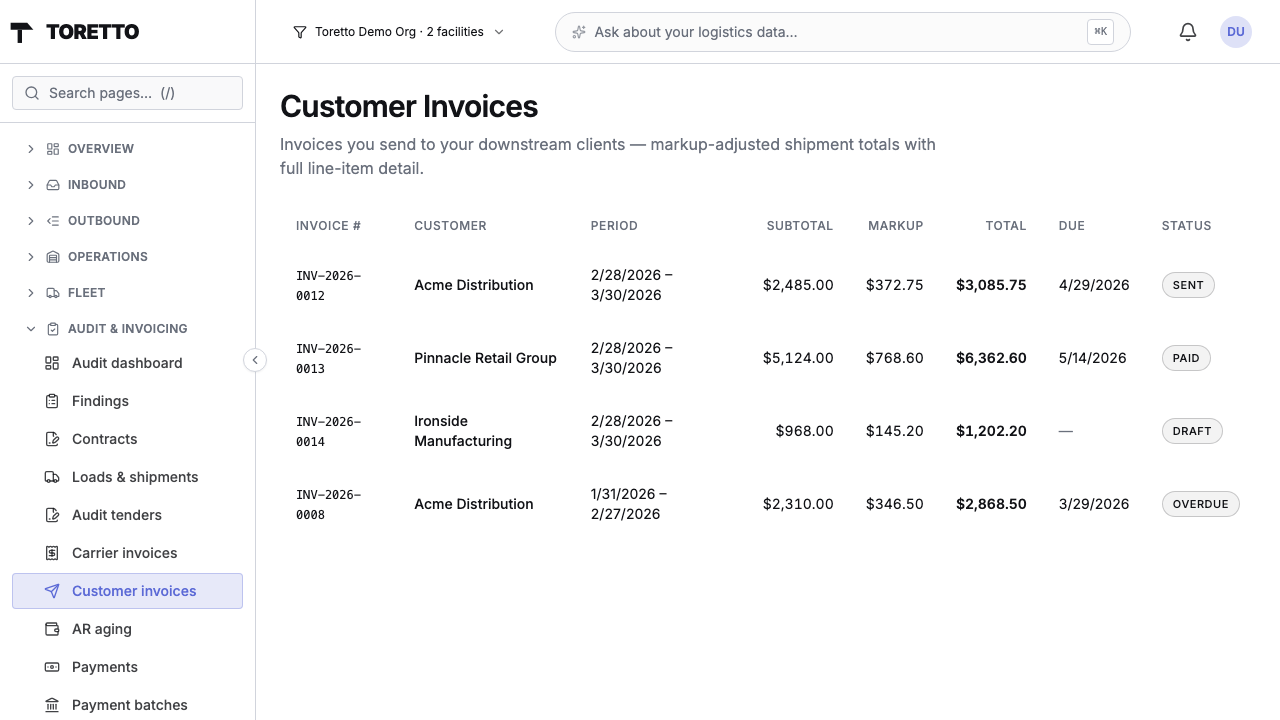
Run logistics for other businesses? Invoice them professionally. Set a per-customer markup, let the platform generate monthly drafts from your audited shipment data, send branded PDFs with your logo and remit-to, and track outstanding balances on a standard AR aging view. Orthogonal to the audit modules — activate it alongside any audit module that feeds it line items.
How it works
- 1 Add your customers. Business name, billing email, payment terms (Net 15 / 30 / 45 / 60), billing cycle (monthly / weekly / manual). Each customer can carry its own rate agreement.
- 2 Configure markup rules. Three pricing methods: flat percentage markup on carrier base charges, flat dollar fee per shipment, or a rate-table keyed on service / zone / weight bucket. Multiple agreements per customer with effective-date ranges for scheduled price changes.
- 3 Monthly dispatch runs. A beat task picks up every customer whose billing cycle is due, walks their audited shipments for the period, applies the markup engine, and writes a draft invoice with the line-item breakdown baked into the row.
- 4 Review and send. Check the draft, edit notes, hit Send. The renderer generates a branded PDF (your logo, remit-to address, accent color, footer note) and Mailgun delivers it to the customer's billing email. Status flips to Sent, metered usage increments.
- 5 Track receivables. The AR aging view shows outstanding balances bucketed current / 1–30 / 31–60 / 61–90 / 90+ days past due per customer. A daily scan flips overdue invoices and feeds the alert digest so nothing slips.
Key features
- ✓Three markup methods: percentage, flat fee, rate table
- ✓Per-service and per-zone rule precedence
- ✓Monthly + weekly billing cycles, or manual-only
- ✓Automated batch invoice generation
- ✓Branded PDF: logo, remit-to, accent color, footer note
- ✓Email delivery via Mailgun
- ✓AR aging view (current / 30 / 60 / 90+)
- ✓Automatic overdue-status transitions
- ✓Line-item-level JSONB snapshot (historical invoices survive rate changes)
- ✓Immutable audit log of sent invoices
- ✓Metered billing — you pay per invoice sent
- ✓Works with any active audit module as line-item source
Branding controls
Settings → Branding lets an org admin upload a logo (PNG / JPEG / WebP / SVG) via a presigned direct-to-S3 upload, set the remit-to business name and address, choose an accent color that flows into the PDF header bar and Total row, and write a footer note that appears at the bottom of every invoice.
Turn shipment operations into a revenue line
Pair with Parcel Audit to pass audited charges + markup through to your customer.
Request a Demo